
I was in your shoes once — had enough, so I did you all a favor by paying and hosting this new social media platform so you might find a new people from this campus/area that you can know for life. This is the only place where you can meet students from Millersville University! Now scroll down, explore! Also, once you make an account this text will vanish and you should click Notification Bell > Mark all read to clear all previous crap we had. Then introduce yourself. It’s like D2L, simple.
How to customize your own profile

Quote from Groznov on May 28, 2026, 3:46 amI hope you are not here to just post once and dash! This is now YOUR online community. I am the facility, ensuring it runs, otherwise it's YOURS just like the state land around you - as we all pay taxes even when purchasing a pack of matches.
So lets get straight to it:
Go to Account>My Profile and click that cog symbol>Edit Profile.
This allows all edits, even reliable profile picture and background picture insertions. Now let's move on.
Fill out your bio, and then signature.
Signature is something that shows up under your posts and replies, can be nothing or can be plain text, quotes or even GIFS! and then flares🔥, which is the emoji that will show next to your username.
GIF SIGNATURE TUTORIAL:
But you may wonder what is this code I see? How do I insert a GIF as signature? Let's walk through it.
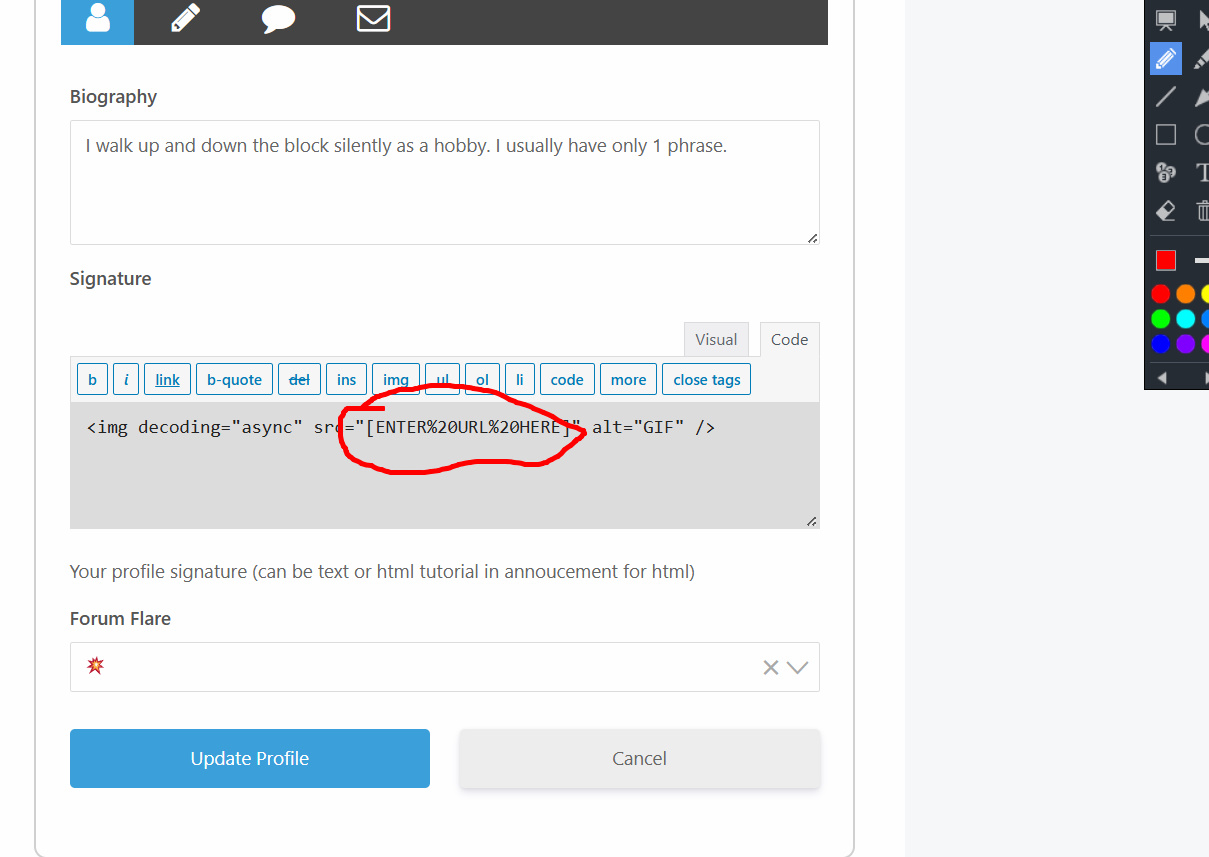
So far all we did is the same for phone and desktop. However this is where things become different for both types of devices when it comes to GIF insertion. Before we have that split, copy and paste this into the code section of the signature: <img decoding="async" src="[REPLACE ME WITH GIF, KEEP QUOTES]" alt="GIF" />
=========================================
Now that we are set up, Let's do Phone first. On phone you simply go to: tenor.com
And on that site search up ANY GIF you want as your signature. Then click it.
This chain link thing allows you to copy the ACTUAL link of the GIF (it must end with .gif). Once you copied it good job!
=========================================
If you are using your laptop or desktop, life becomes easier and you have access to slightly more GIFS.
Google the GIF you want in images and then click it.
right click the GIF and click copy image link. If you cannot see that option, right click it and click open image in new tab and then try that again on the image that opens in new tab.
If all goes to hell, then do the same thing as I described in the phone case scenario above ^ (tenor.com)
=========================================
Now take that copied link and paste it here after src and keep the " "! (replace that bracket text including brackets)
and click update profile
You're done!
I hope you are not here to just post once and dash! This is now YOUR online community. I am the facility, ensuring it runs, otherwise it's YOURS just like the state land around you - as we all pay taxes even when purchasing a pack of matches.
So lets get straight to it:
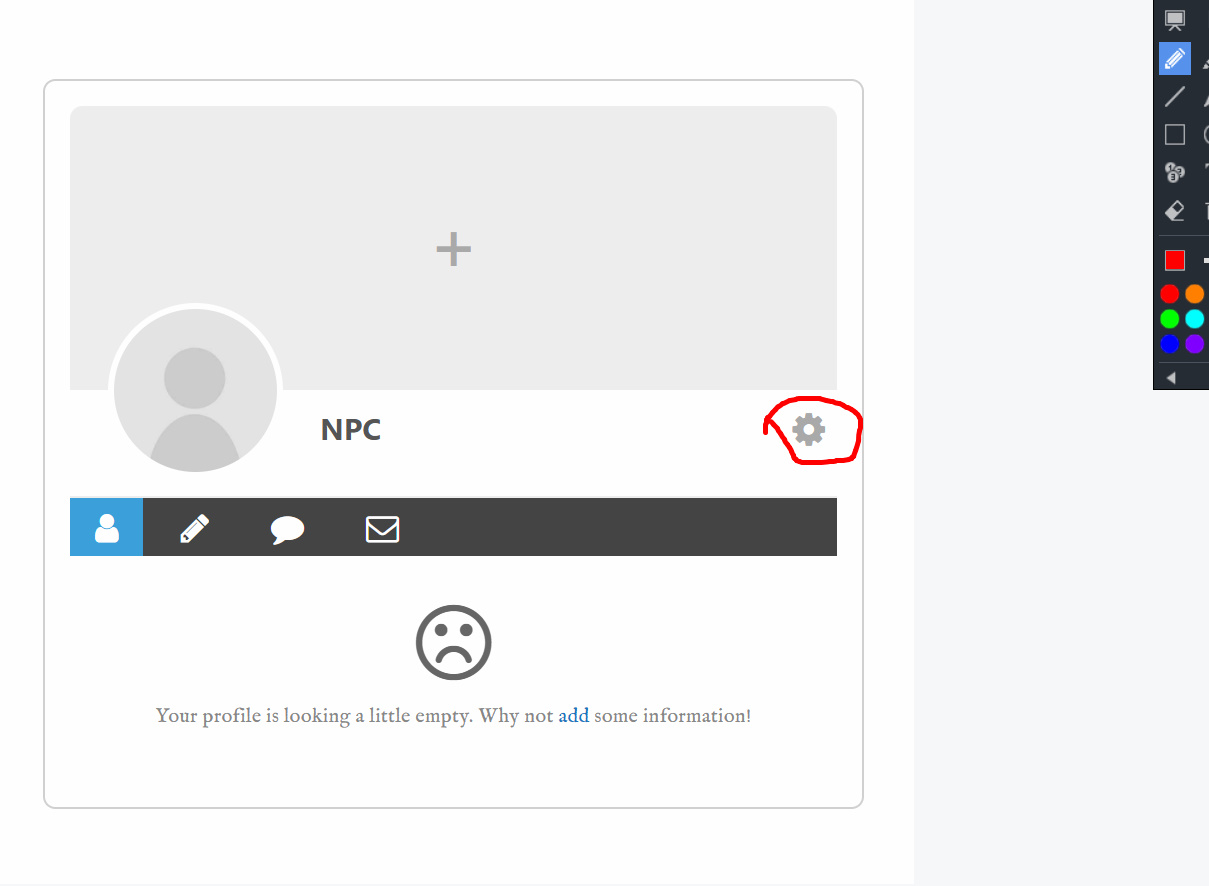
Go to Account>My Profile and click that cog symbol>Edit Profile.
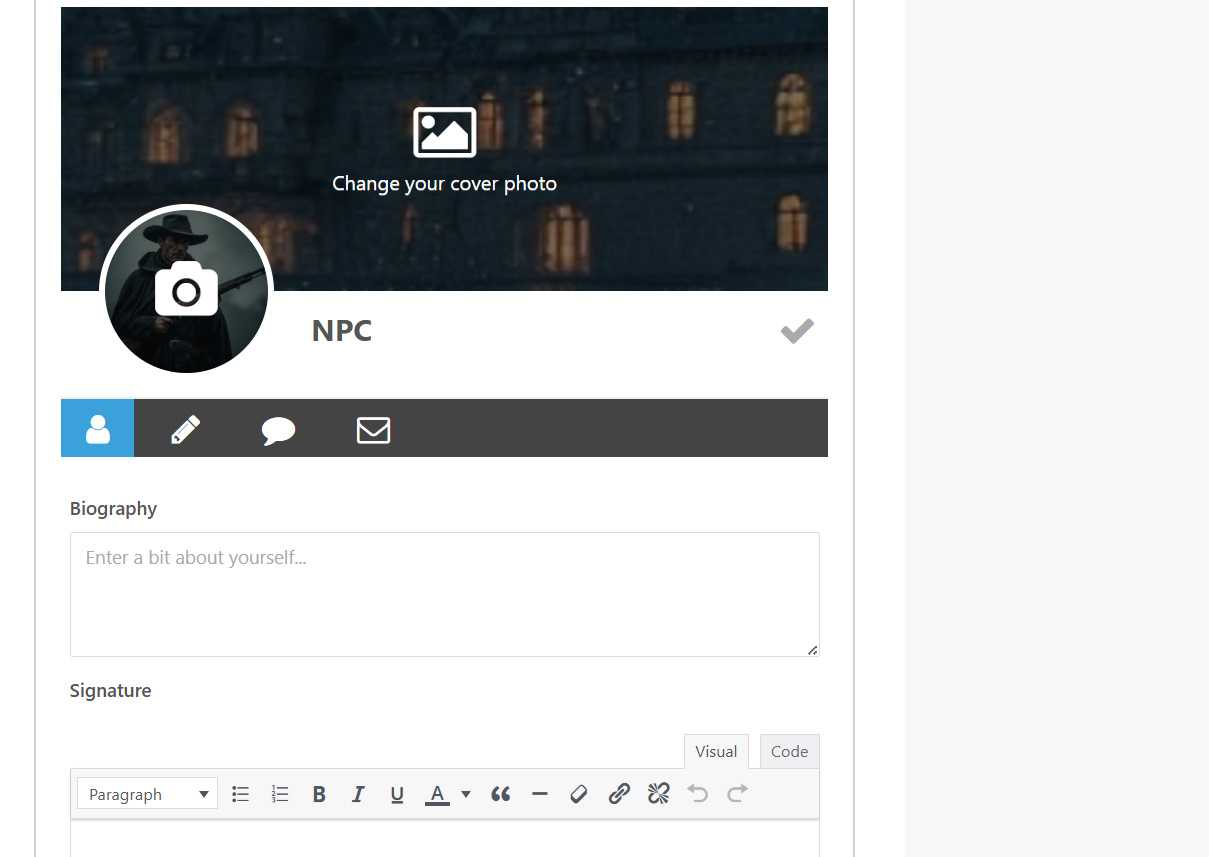
This allows all edits, even reliable profile picture and background picture insertions. Now let's move on.
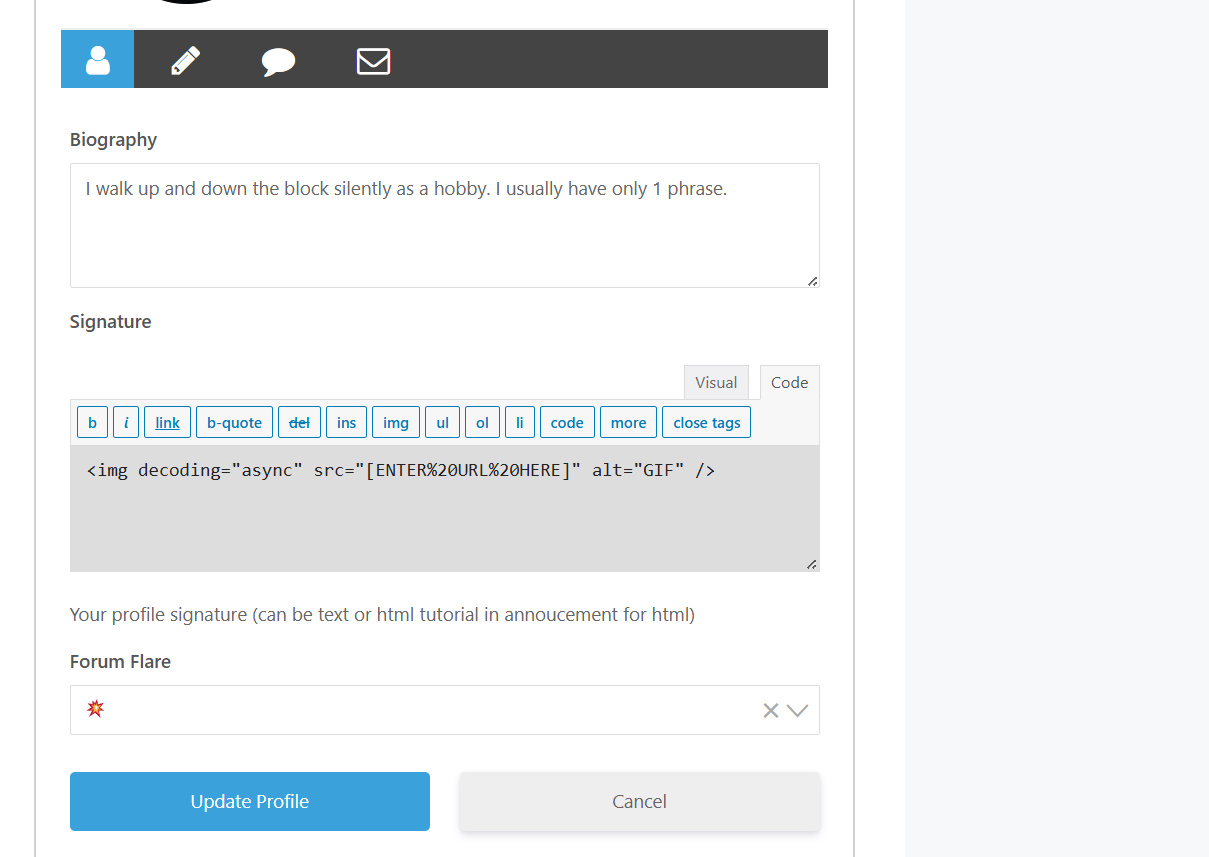
Fill out your bio, and then signature.
Signature is something that shows up under your posts and replies, can be nothing or can be plain text, quotes or even GIFS! and then flares🔥, which is the emoji that will show next to your username.
GIF SIGNATURE TUTORIAL:
But you may wonder what is this code I see? How do I insert a GIF as signature? Let's walk through it.
So far all we did is the same for phone and desktop. However this is where things become different for both types of devices when it comes to GIF insertion. Before we have that split, copy and paste this into the code section of the signature: <img decoding="async" src="[REPLACE ME WITH GIF, KEEP QUOTES]" alt="GIF" />
=========================================
Now that we are set up, Let's do Phone first. On phone you simply go to: tenor.com
And on that site search up ANY GIF you want as your signature. Then click it.

This chain link thing allows you to copy the ACTUAL link of the GIF (it must end with .gif). Once you copied it good job!
=========================================
If you are using your laptop or desktop, life becomes easier and you have access to slightly more GIFS.
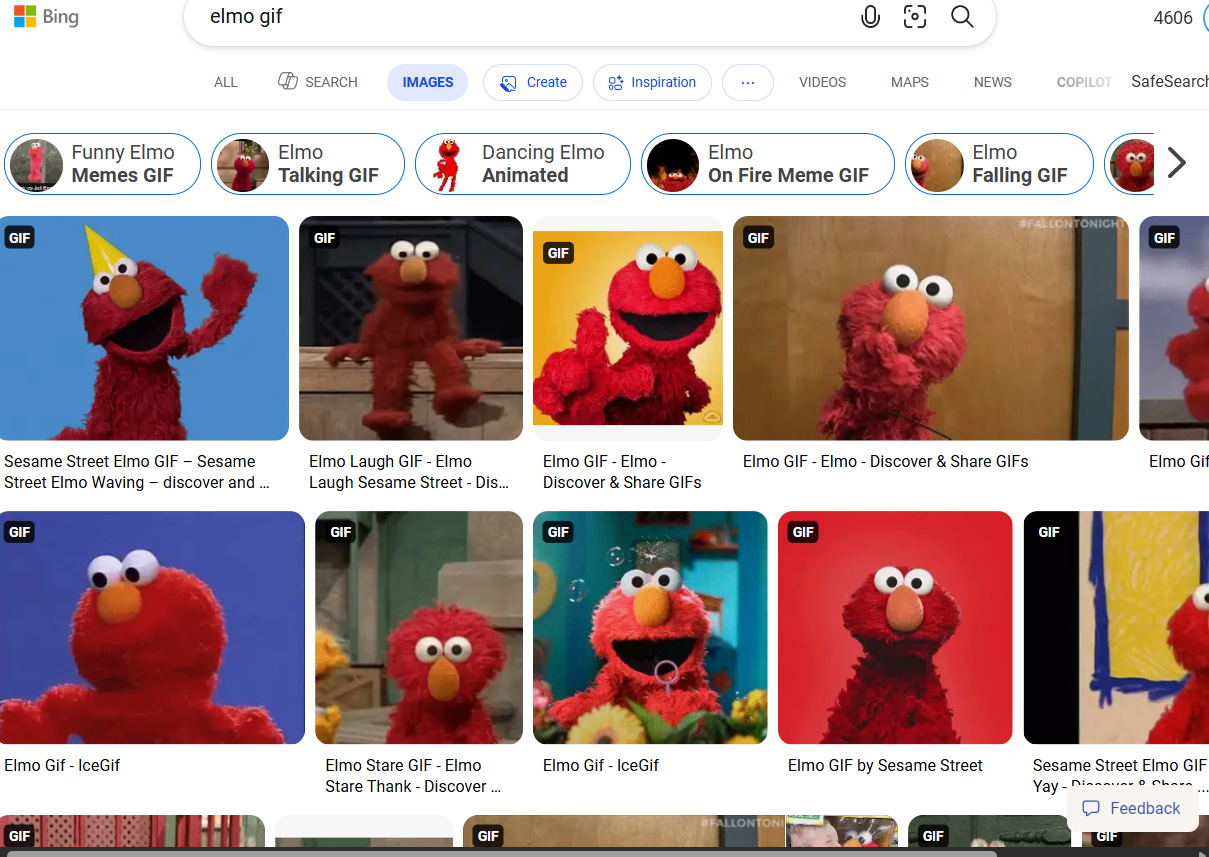
Google the GIF you want in images and then click it.
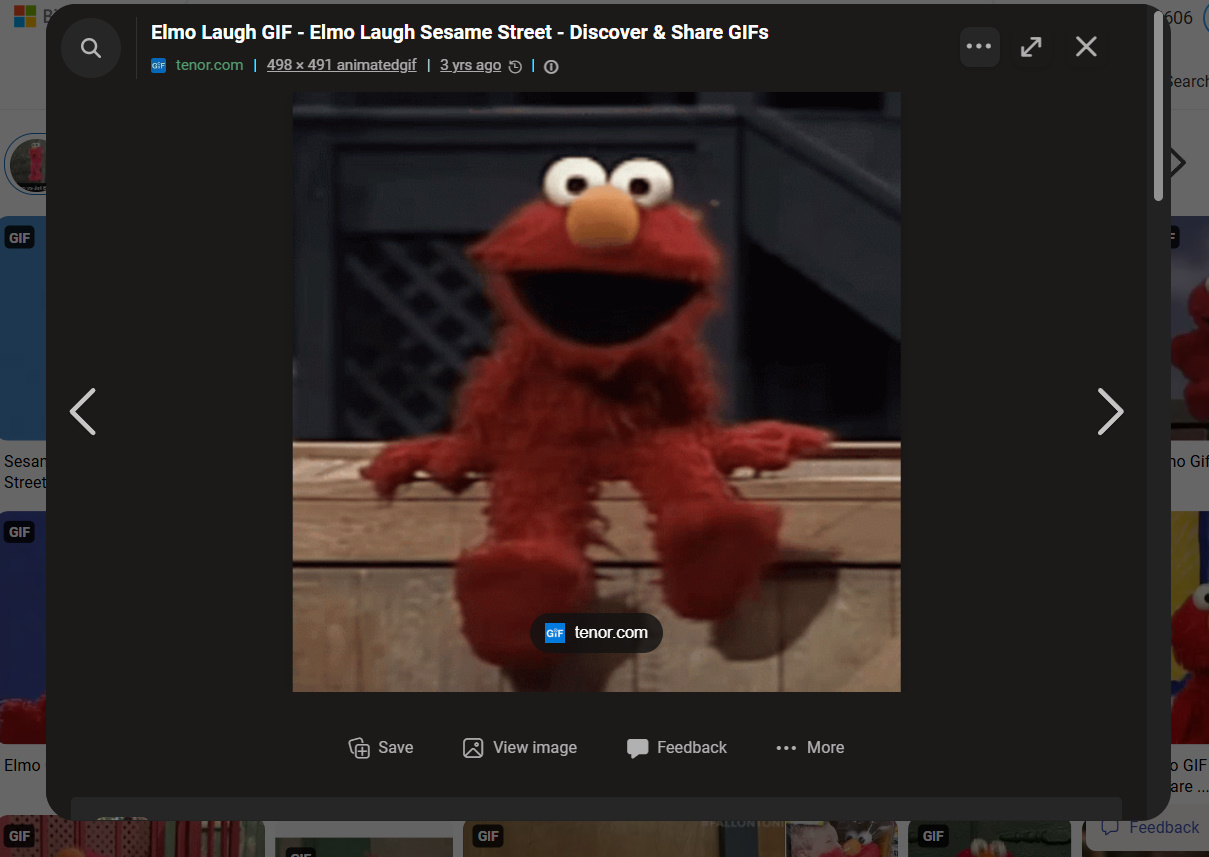
right click the GIF and click copy image link. If you cannot see that option, right click it and click open image in new tab and then try that again on the image that opens in new tab.
If all goes to hell, then do the same thing as I described in the phone case scenario above ^ (tenor.com)
=========================================
Now take that copied link and paste it here after src and keep the " "! (replace that bracket text including brackets)
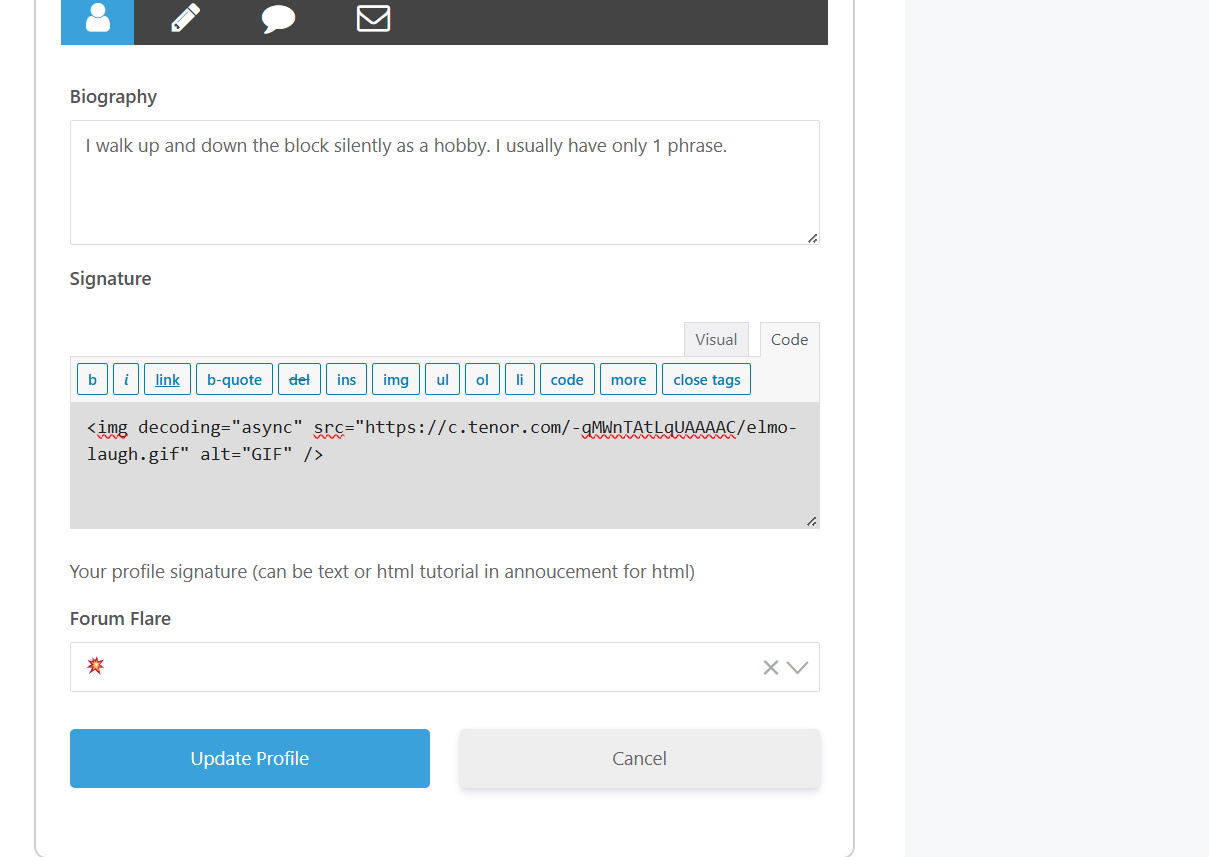
and click update profile
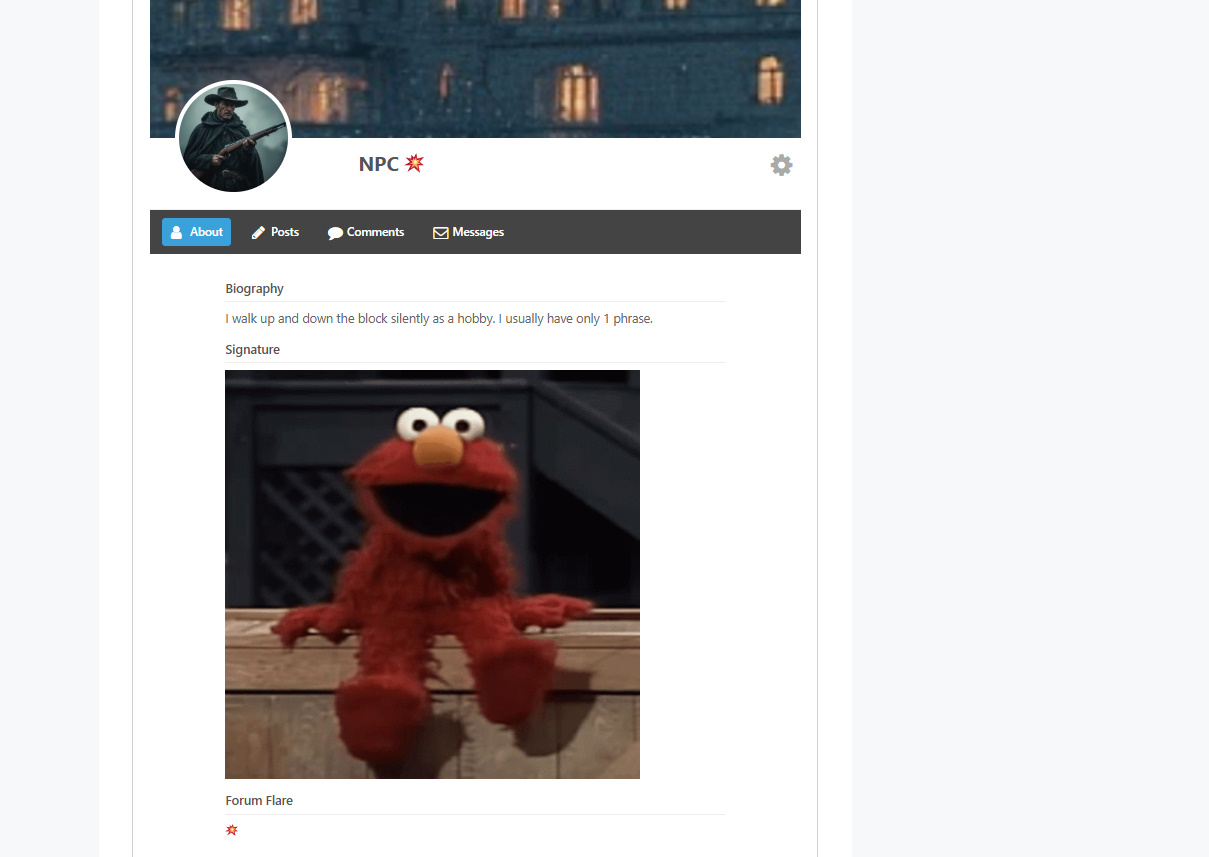
You're done!

All in life is a Cigarette, drag until it burns out, don't try to reignite, move onto the next.