
I was in your shoes once — had enough, so I did you all a favor by paying and hosting this new social media platform so you might find a new people from this campus/area that you can know for life. This is the only place where you can meet students from Millersville University! Now scroll down, explore! Also, once you make an account this text will vanish and you should click Notification Bell > Mark all read to clear all previous crap we had. Then introduce yourself. It’s like D2L, simple.
Basic Forum Functions (Mini tour)

Quote from Groznov on May 27, 2026, 8:45 pmHello, this is a quick explanation of all forum features. Phone and desktop version is the same, except on the phone you tap the 3 lines to open up the menu.
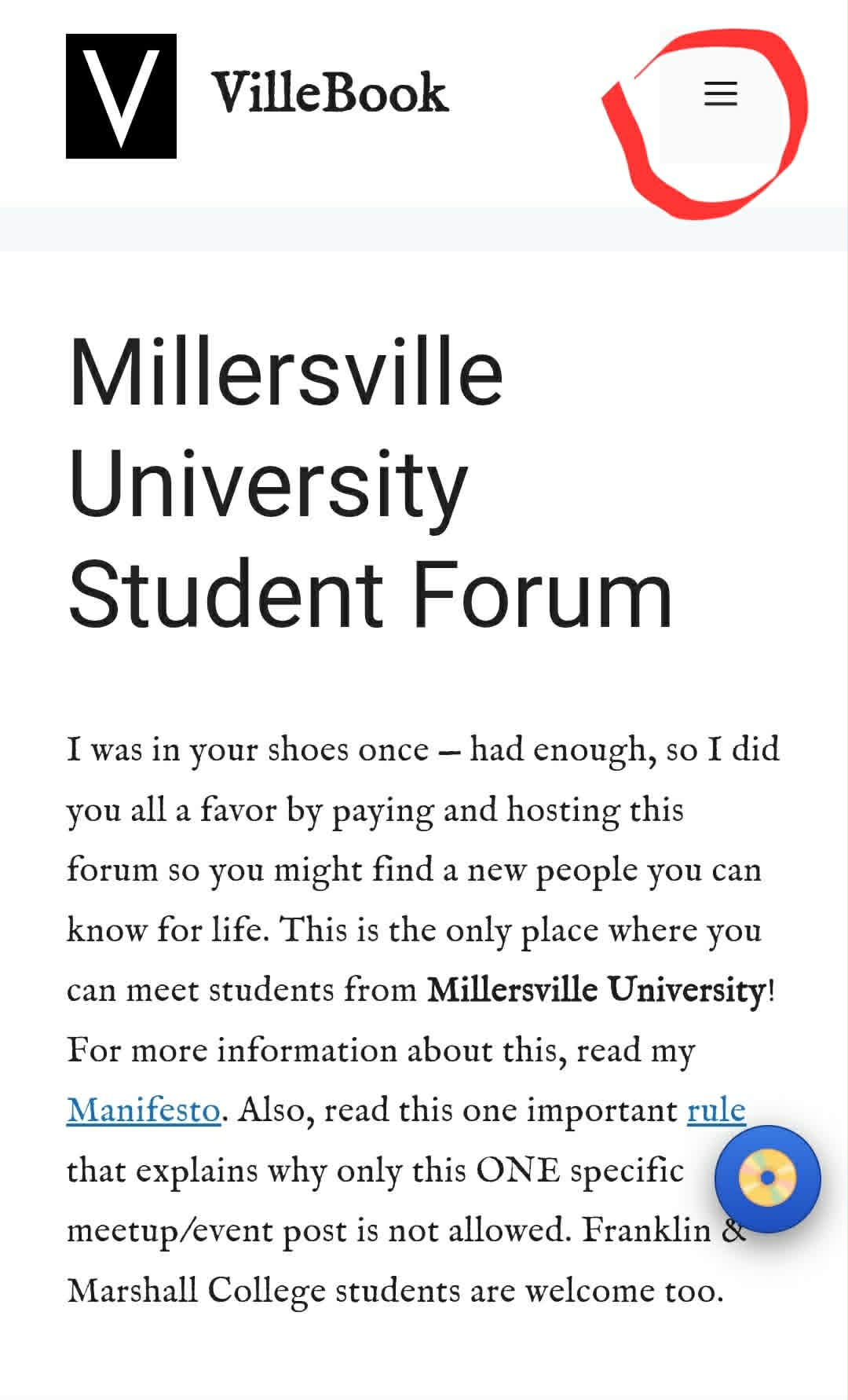
Returning to Home page:
Millersville Forum, the logo or VilleBook name will all take you to the home page of the forum.
Announcements:
Members cannot post in announcements except for the administrators; however, members can comment or reply inside each thread in announcements. Definitely do the first mandatory post if you haven’t done so yet, introduce yourself.
Messaging:
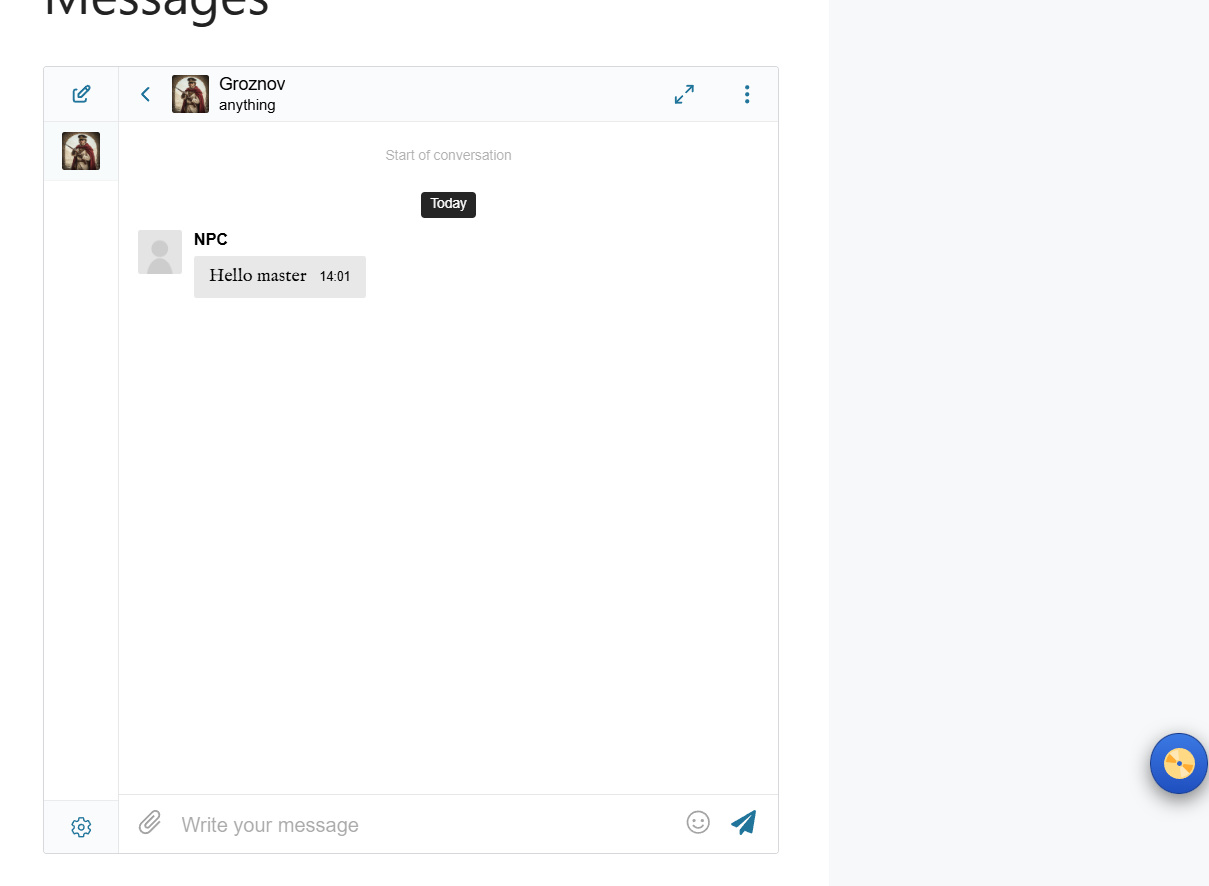
Yes we have our own messenger. It's very old and you'll appreciate it's simplicity. Simply click/tap Messages in the menu.
Tap this thing in the corner.
Now select your recipient(There is only me and this demo account)
Now you have subject (only have to type once don't worry) and then message on bottom.
Enjoy!
Members:
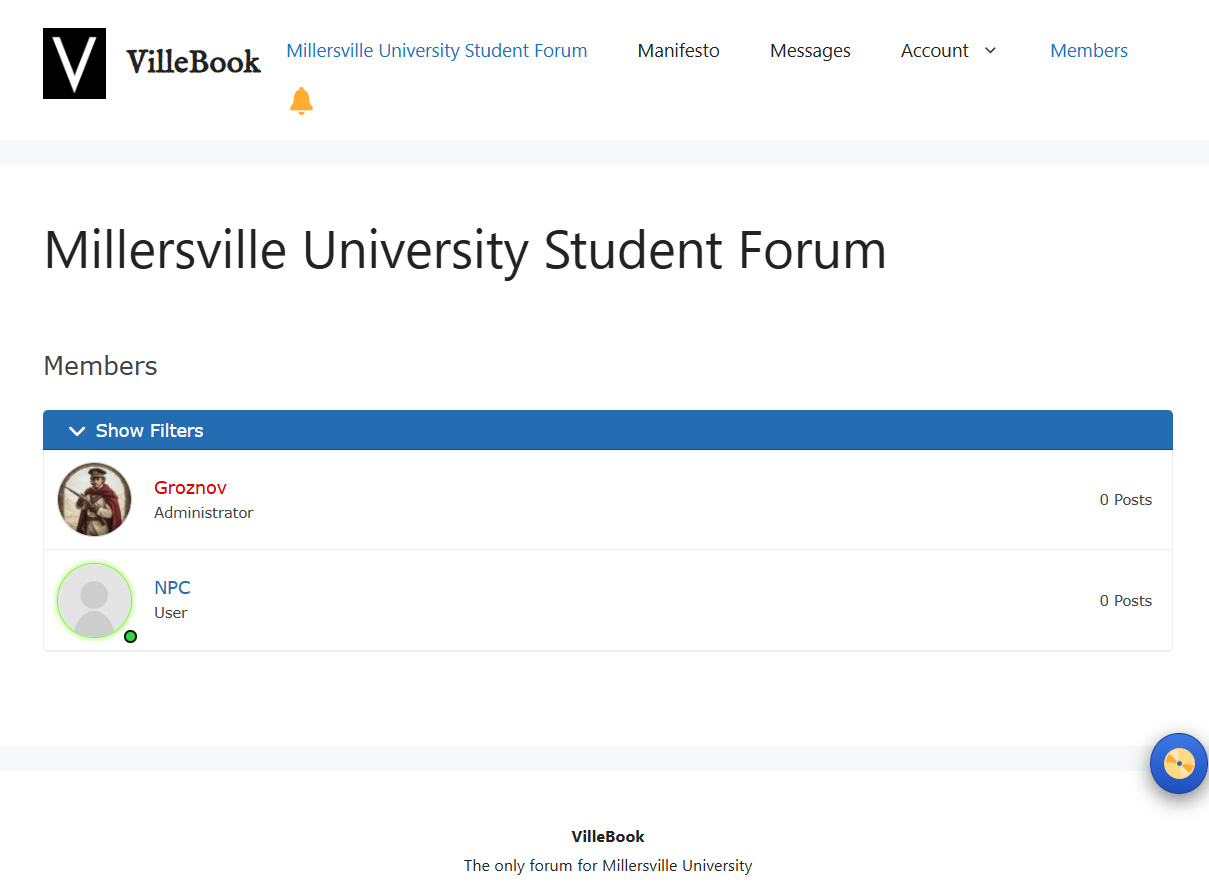
Simply click/tap members and you will see who's online and how many members are even here. Please note, some may be hidden.
Notification Bell:
I'm sure 95% of you understand this.
When a new thread is created or reply or comment, you will see this red dot here.
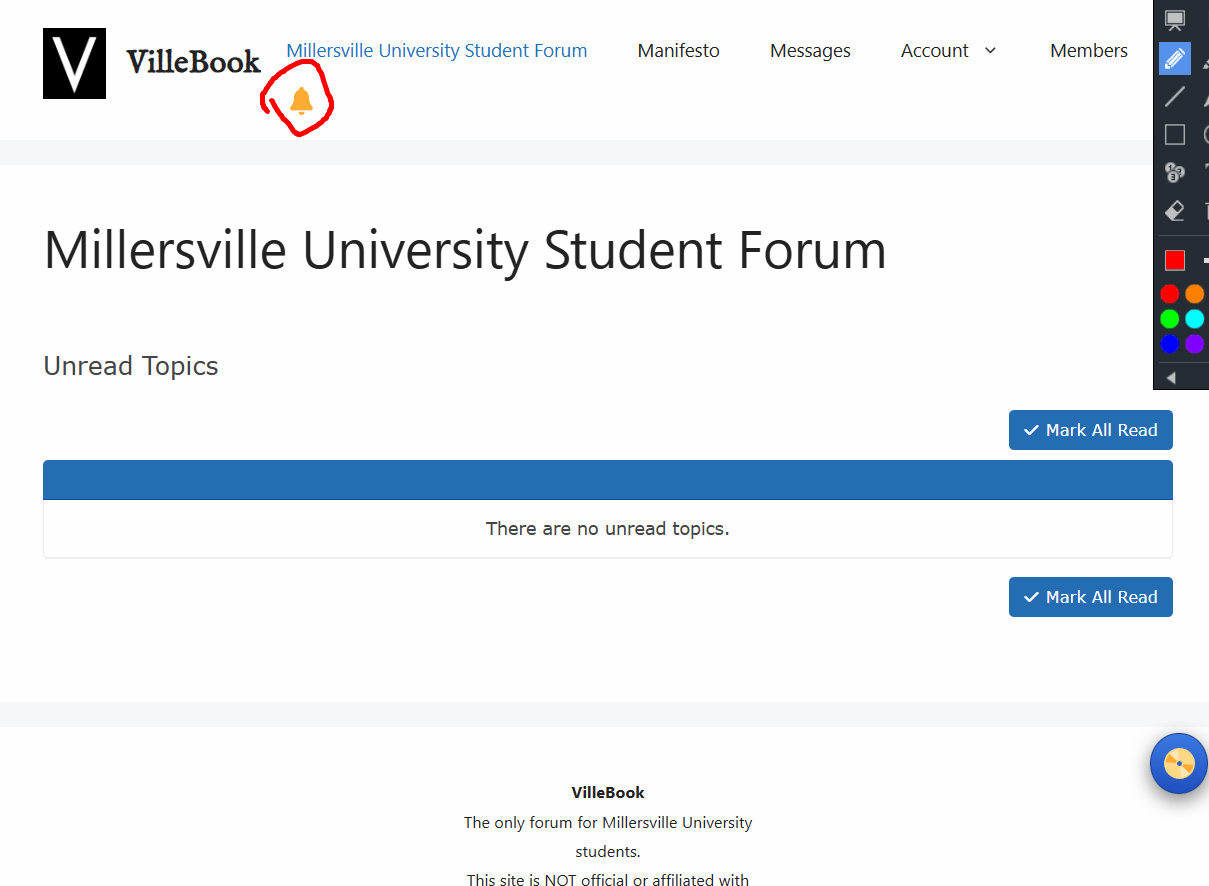
When tapping/clicking the bell, you will be taken to this page. It will show all the stuff you may have missed. You can click and view each to dismiss it or you can click mark all read to dismiss altogether
Profile:
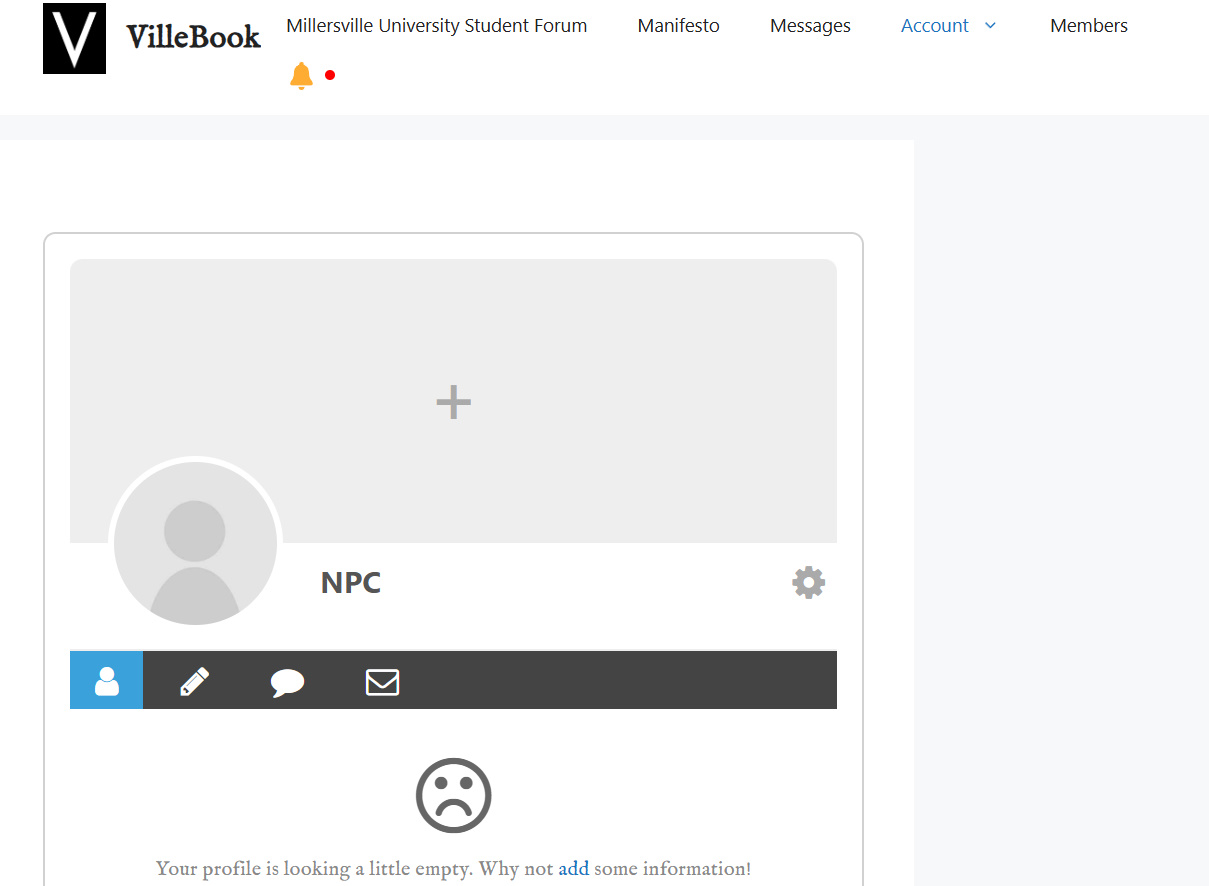
Hover over or click/tap the name Account > Profile; it should take you to your profile. Customize it however you like, this page will show you how.
Basic settings:
Hover over or click/tap the name Account > Settings OR Logout are both regular account functions all of you should be familiar with by now.
Jukebox feature (nostalgic forgotten forum feature😲):
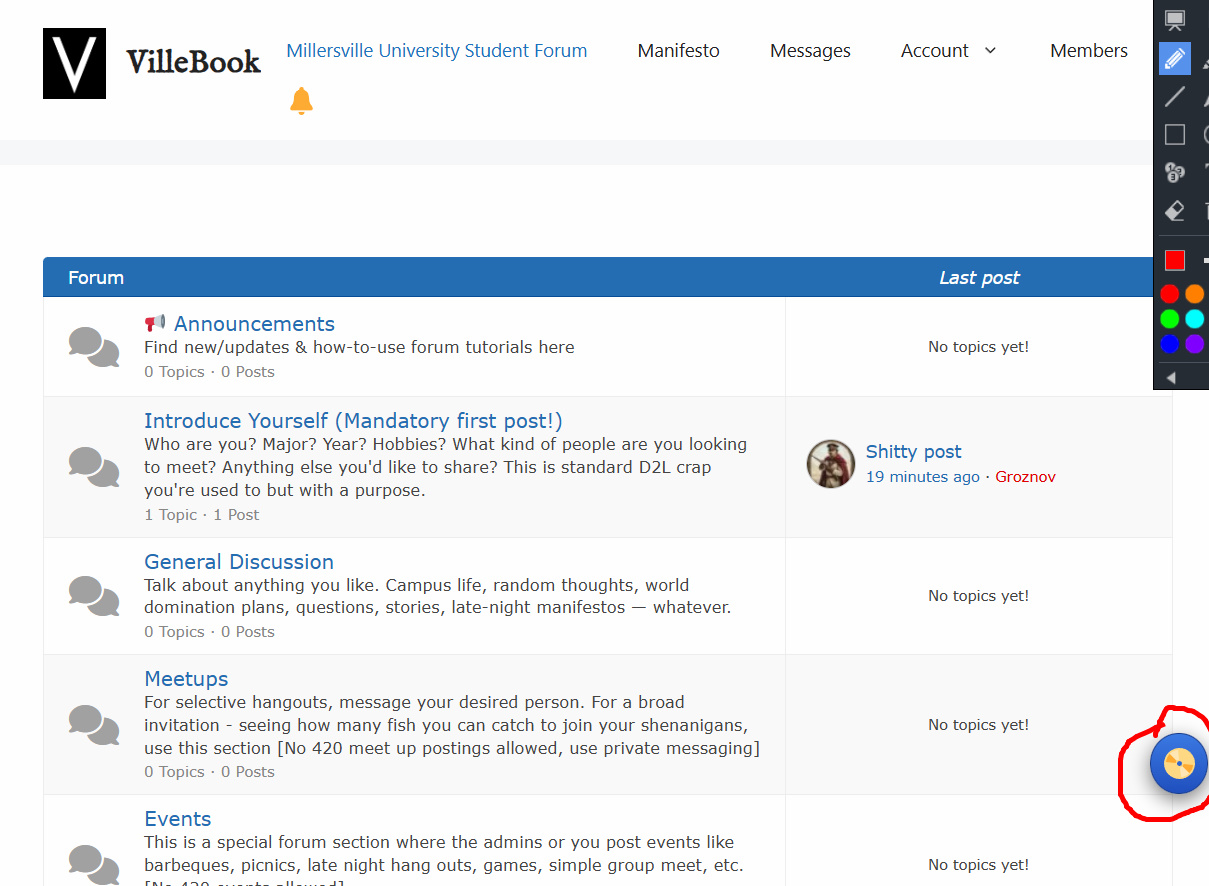
The Jukebox feature, It’s a floating Disc you can always tap/click and it will expand. Same on any device.
When you click Insert Random Disc, it will play a completely random song from the playlist. You can enjoy and browse the forum while listening, the song will continue as you go from page to page.
You can click the minimize button to make it just a disc so its not in the way. Once a song is over, the jukebox will autoplay onto the next completely randomized song. Press stop to stop the jukebox.
If you don’t like the feature at all or want the disc gone for now, click close jukebox. To reactivate it, hove/click/tap on Account and click/tap Jukebox and everything will be back to normal.
Fun fact:
This text is likely not there for you anymore. It disappears when you are logged in since you get the idea😁
Hello, this is a quick explanation of all forum features. Phone and desktop version is the same, except on the phone you tap the 3 lines to open up the menu.
Returning to Home page:
Millersville Forum, the logo or VilleBook name will all take you to the home page of the forum.
Announcements:
Members cannot post in announcements except for the administrators; however, members can comment or reply inside each thread in announcements. Definitely do the first mandatory post if you haven’t done so yet, introduce yourself.
Messaging:
Yes we have our own messenger. It's very old and you'll appreciate it's simplicity. Simply click/tap Messages in the menu.
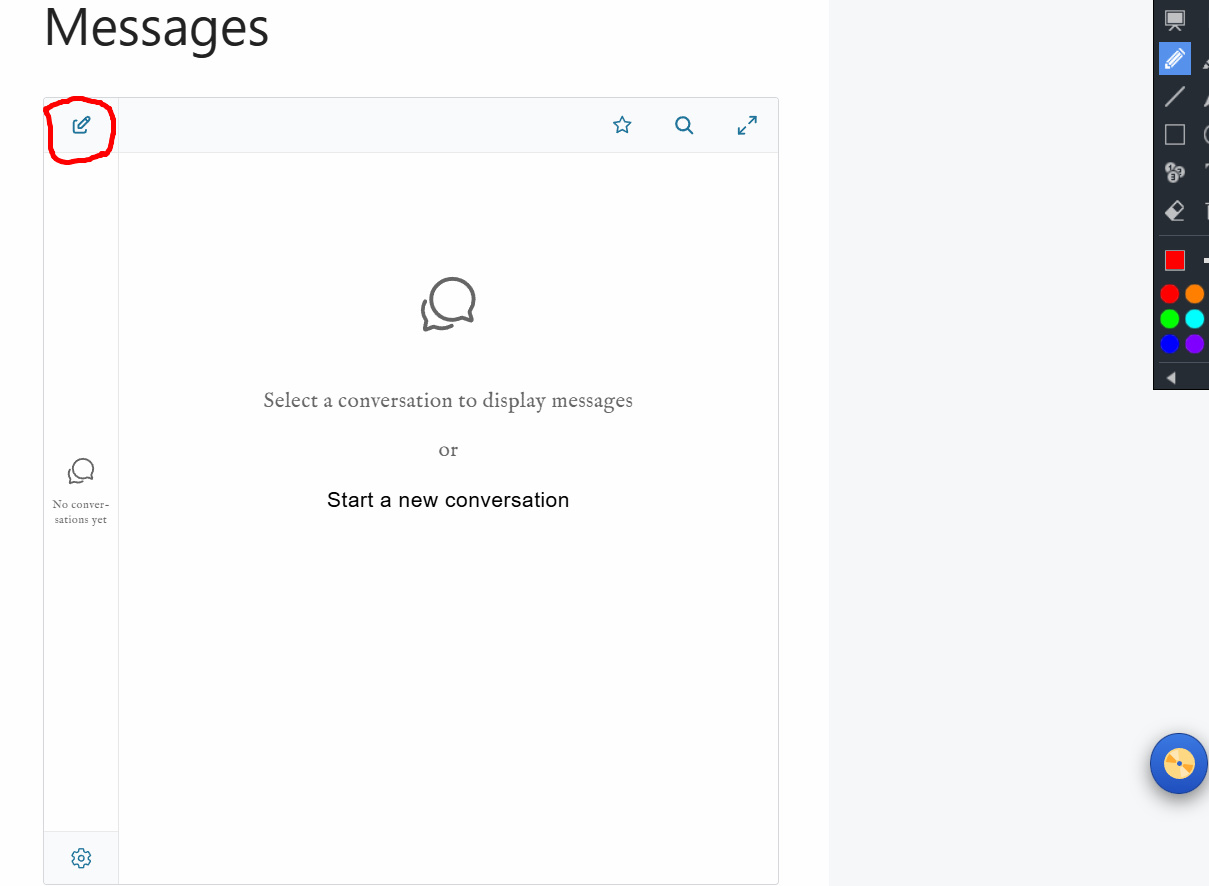
Tap this thing in the corner.
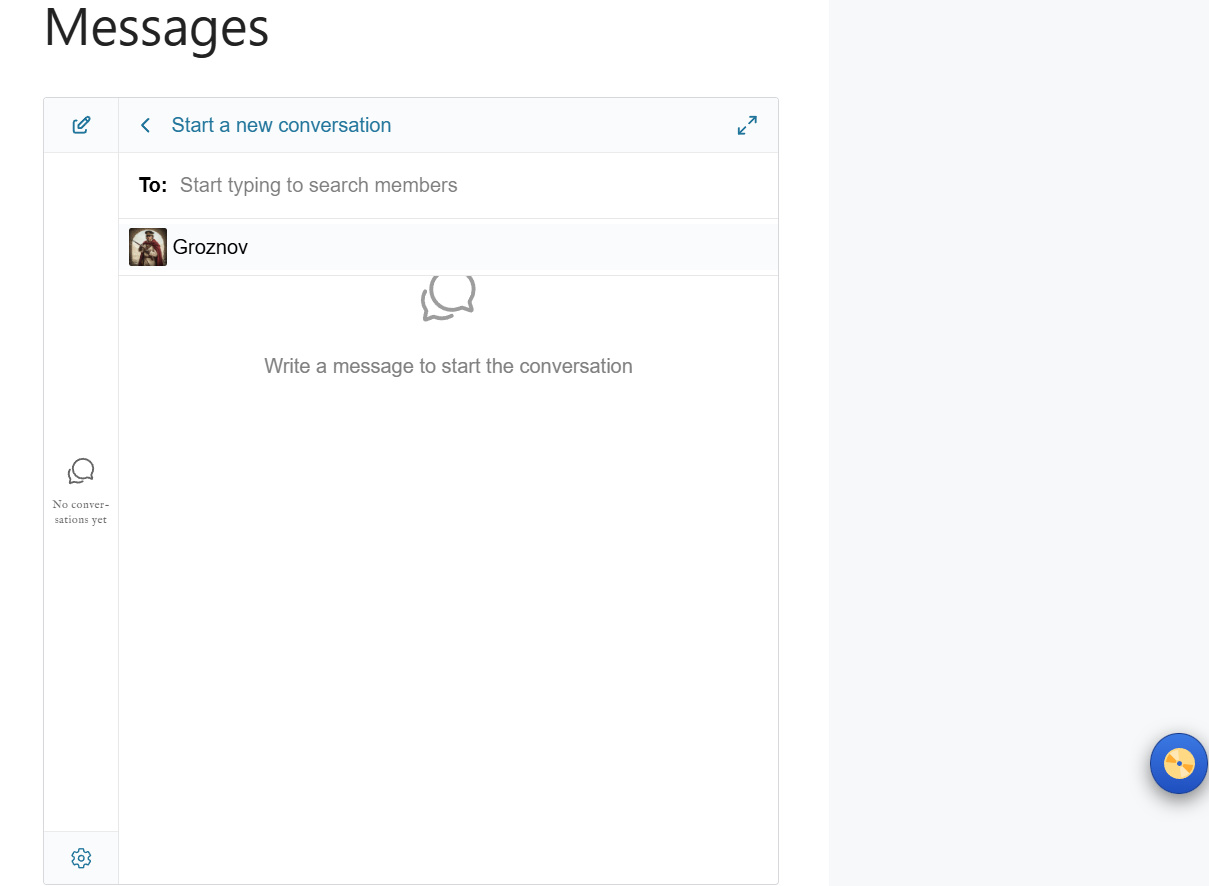
Now select your recipient(There is only me and this demo account)
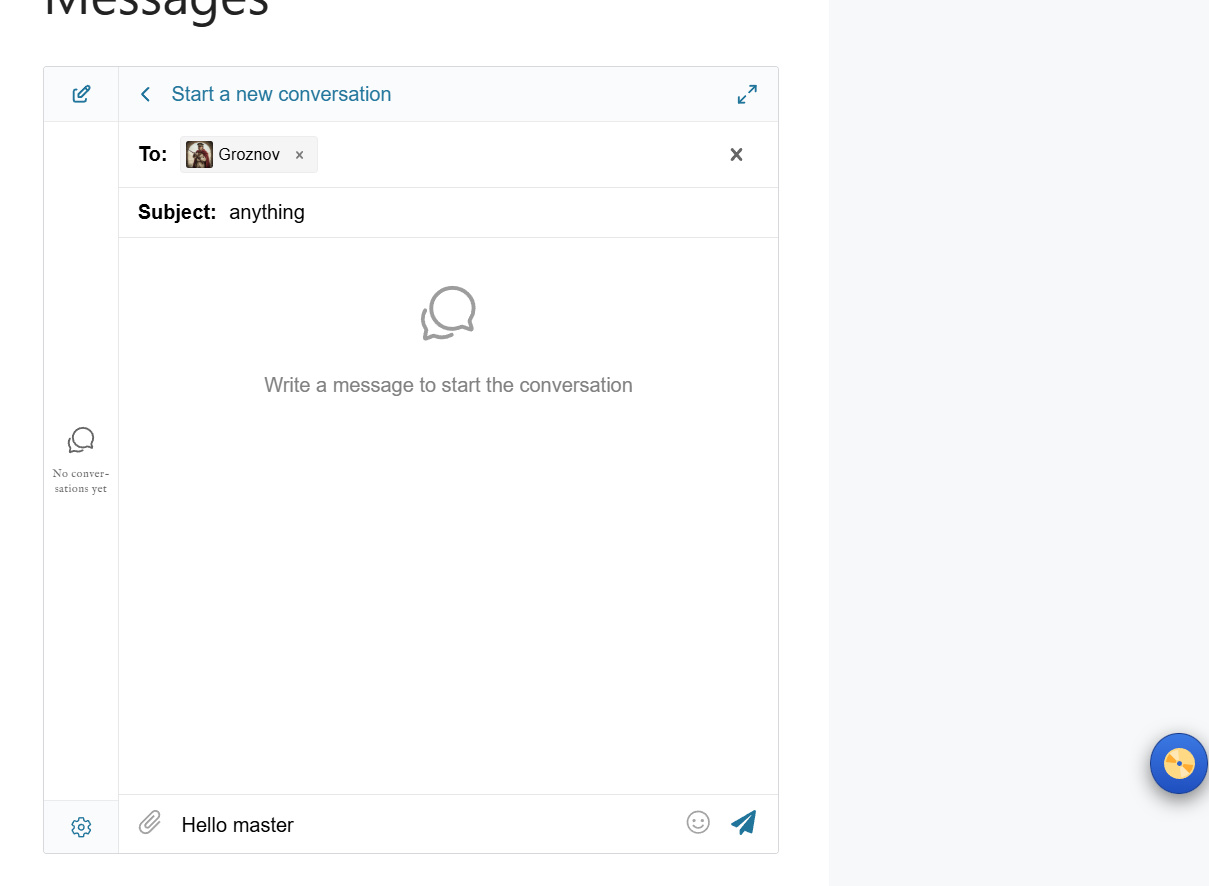
Now you have subject (only have to type once don't worry) and then message on bottom.
Enjoy!
Members:
Simply click/tap members and you will see who's online and how many members are even here. Please note, some may be hidden.
Notification Bell:
I'm sure 95% of you understand this.
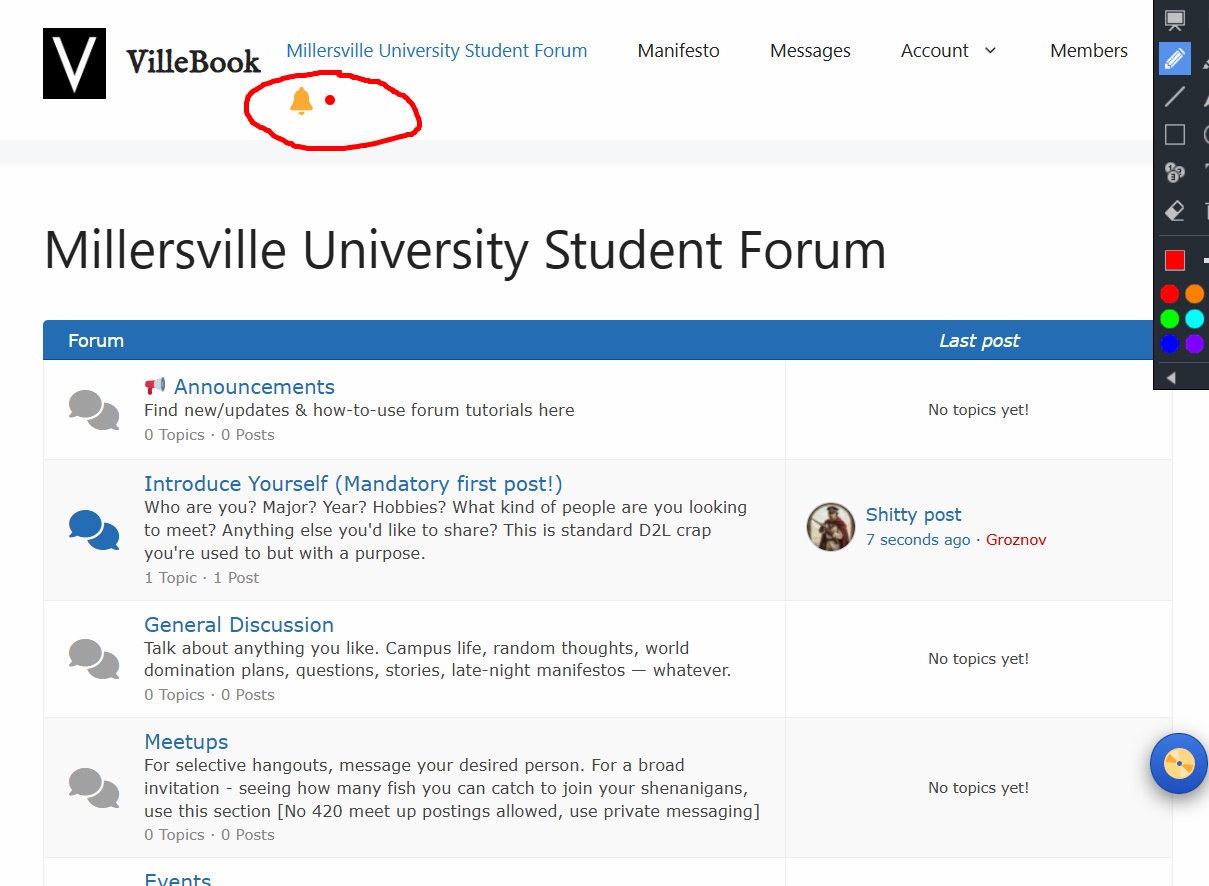
When a new thread is created or reply or comment, you will see this red dot here.
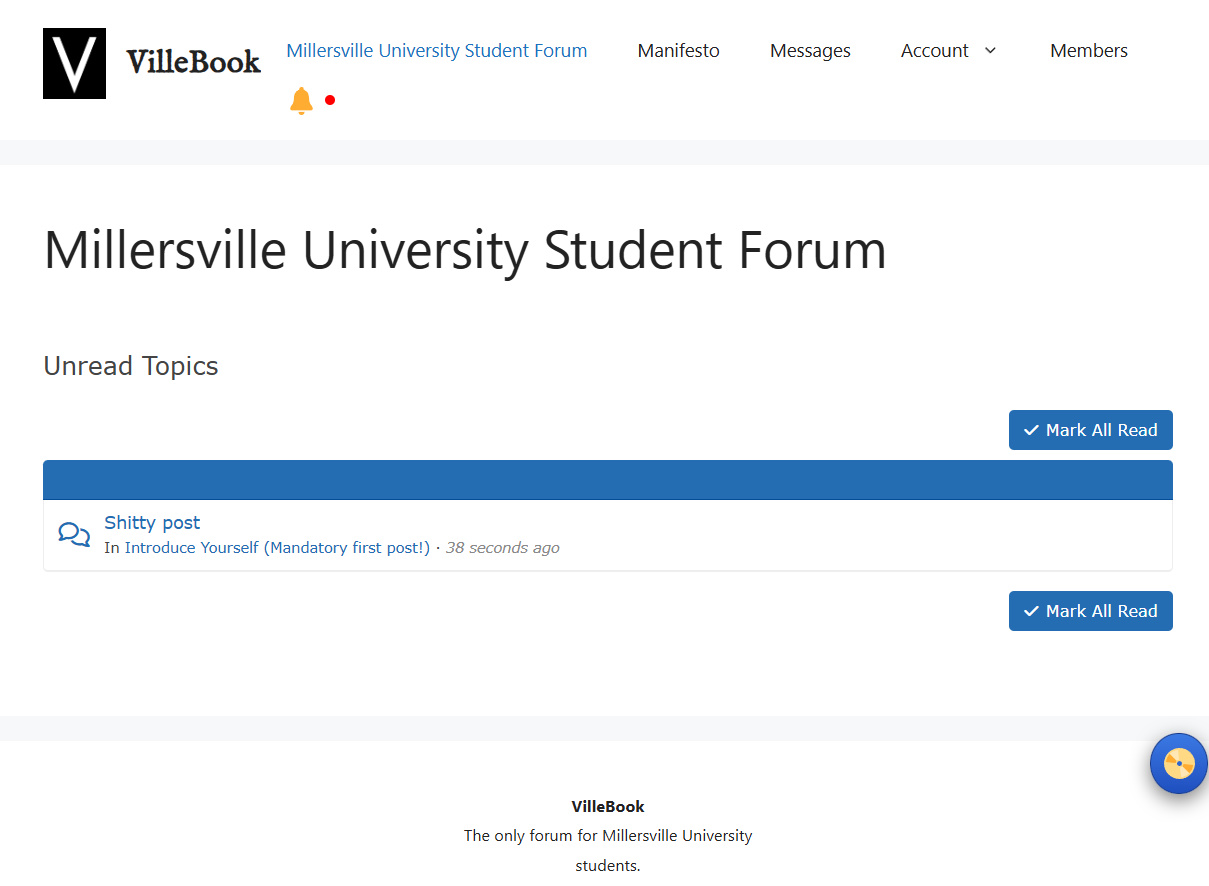
When tapping/clicking the bell, you will be taken to this page. It will show all the stuff you may have missed. You can click and view each to dismiss it or you can click mark all read to dismiss altogether
Profile:
Hover over or click/tap the name Account > Profile; it should take you to your profile. Customize it however you like, this page will show you how.
Basic settings:
Hover over or click/tap the name Account > Settings OR Logout are both regular account functions all of you should be familiar with by now.
Jukebox feature (nostalgic forgotten forum feature😲):
The Jukebox feature, It’s a floating Disc you can always tap/click and it will expand. Same on any device.
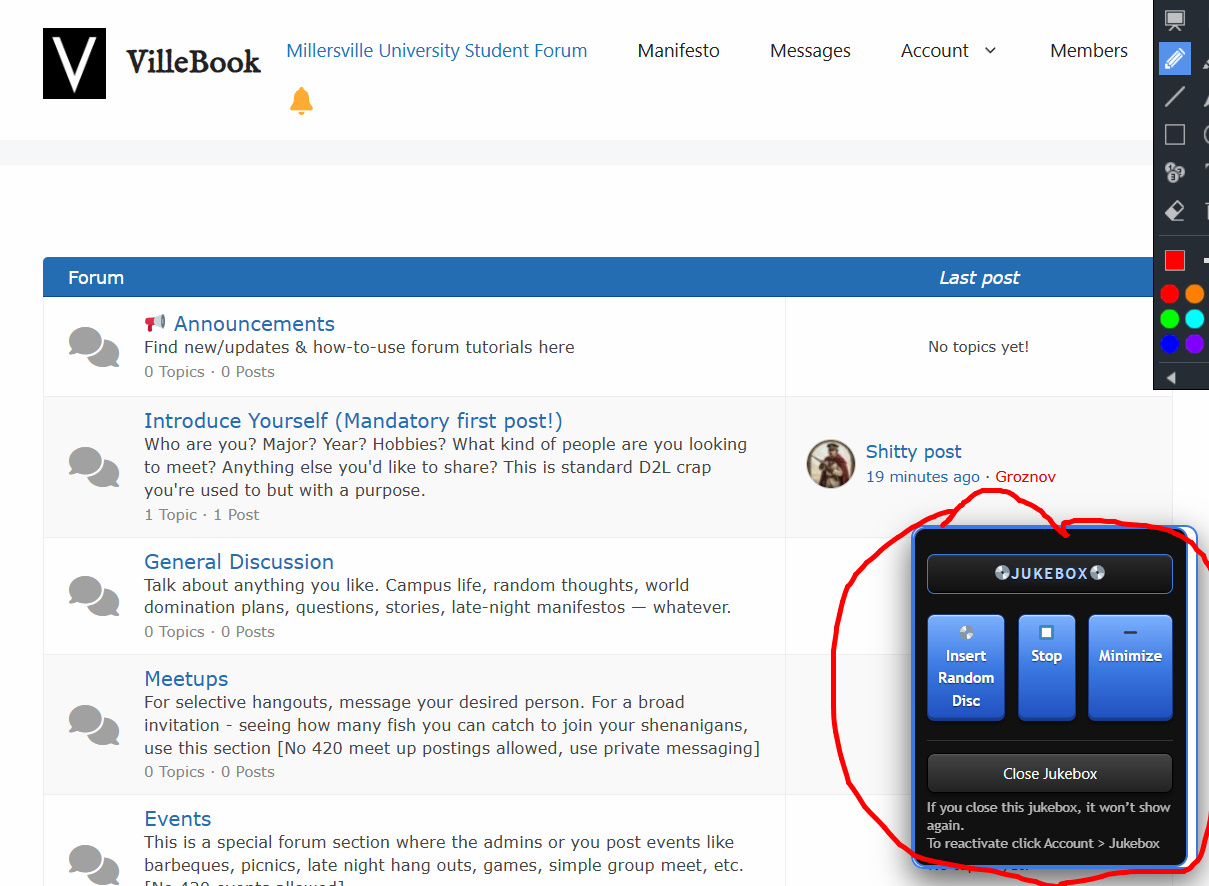
When you click Insert Random Disc, it will play a completely random song from the playlist. You can enjoy and browse the forum while listening, the song will continue as you go from page to page.
You can click the minimize button to make it just a disc so its not in the way. Once a song is over, the jukebox will autoplay onto the next completely randomized song. Press stop to stop the jukebox.
If you don’t like the feature at all or want the disc gone for now, click close jukebox. To reactivate it, hove/click/tap on Account and click/tap Jukebox and everything will be back to normal.
Fun fact:
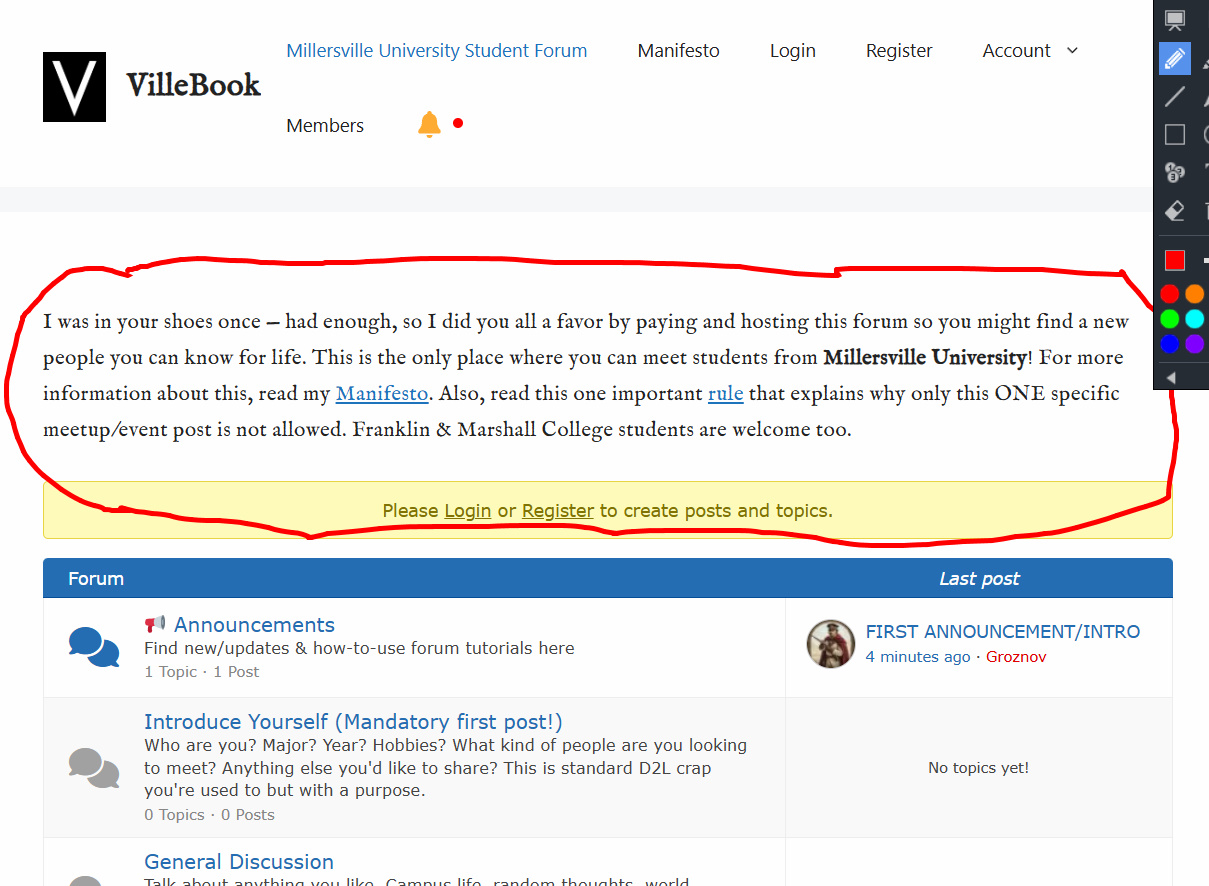
This text is likely not there for you anymore. It disappears when you are logged in since you get the idea😁

All in life is a Cigarette, drag until it burns out, don't try to reignite, move onto the next.